
Picture Sarah, a small business owner with a thriving Etsy shop for handmade candles. She pours her heart into Instagram posts, but likes and sales stay flat. Like 44% of small businesses in 2026, customer engagement tops her marketing headaches, because she doesn’t know her buyers well enough.
Budgets are tight, so paid tools like fancy analytics platforms sit out of reach. Yet, without clear insights into who your audience is, what they crave, and where they hang out, your messages miss the mark. Content flops, sales stall, and growth feels impossible.
Here’s the fix: you can research your audience without paid tools and unlock huge wins. Sharper content that resonates pulls in loyal fans. Targeted messaging boosts conversions and sales. Plus, you save cash while building real connections that last.
In this post, we’ll walk through proven free strategies. Start with social media listening to spot trends and conversations. Use Google tools for search trends and keyword gold. Dive into forums and Reddit for raw opinions. Run simple surveys on your site or email. Finish with competitor analysis to borrow their best plays.
By the end, you’ll have a full playbook. You’ll walk away ready to gather insights today and watch your business connect better tomorrow. Let’s jump into social media first.
Listen in on Social Media to Reveal What Your Audience Craves
Social platforms buzz with honest talk from real people. Your audience shares pains, goals, and interests there every day. Because you can access this data for free, you spot demographics like age and location. You also uncover what keeps them up at night. In 2026, real-time listening helps you catch shifts fast, like rising complaints about product gaps. Start here to build buyer personas that guide your content and offers.
Unlock Insights with Facebook Audience Insights
Facebook hands you free audience data through Meta Business Suite. Page owners get demographics, interests, and behaviors right away. Even without a big following, you research similar crowds.
Log in to your Facebook account first. Then head to Meta Business Suite. Click “Insights” in the left menu. Select your page or create a custom audience based on interests.
Next, dive into the tabs. Check age and gender breakdowns. Note top locations. Scroll to interests for likes around fitness gear or parenting hacks. Behaviors show shopping habits, like frequent online buyers.
For a fitness niche, you might see most fans aged 25 to 34 in urban spots. They follow yoga apps and running brands. Parenting audiences often skew moms aged 30 to 45. They engage with baby sleep tips and organic food pages.

This data builds your persona. A fitness fan might work desk jobs but crave quick home workouts. Use it to craft posts that hit home. For step-by-step help, check this Facebook Audience Insights guide.
Mine Reddit for Raw Audience Thoughts
Reddit delivers unfiltered opinions. Users post problems and solutions without polish. You find subreddits where your crowd gathers, then note patterns in top threads.
Search Reddit for your niche first. Type keywords like “small business tips” into the search bar. Sort by top posts over the past year. Scan comments for recurring pains, like cash flow struggles.
Join subreddits such as r/smallbusiness for entrepreneurs. There, owners vent about marketing fails and share wins on free tools. Questions pop up often: “How do I find customers without ads?” Or “What’s your best email subject line?”
Read 20 to 30 threads. Jot notes on themes. In fitness subs like r/Fitness, folks ask for beginner routines. Parents in r/Parenting seek toy recommendations under $20.

These gems reveal goals, such as entrepreneurs wanting simple growth hacks. Turn them into content ideas. For more on Reddit research, see this guide to Reddit market research.
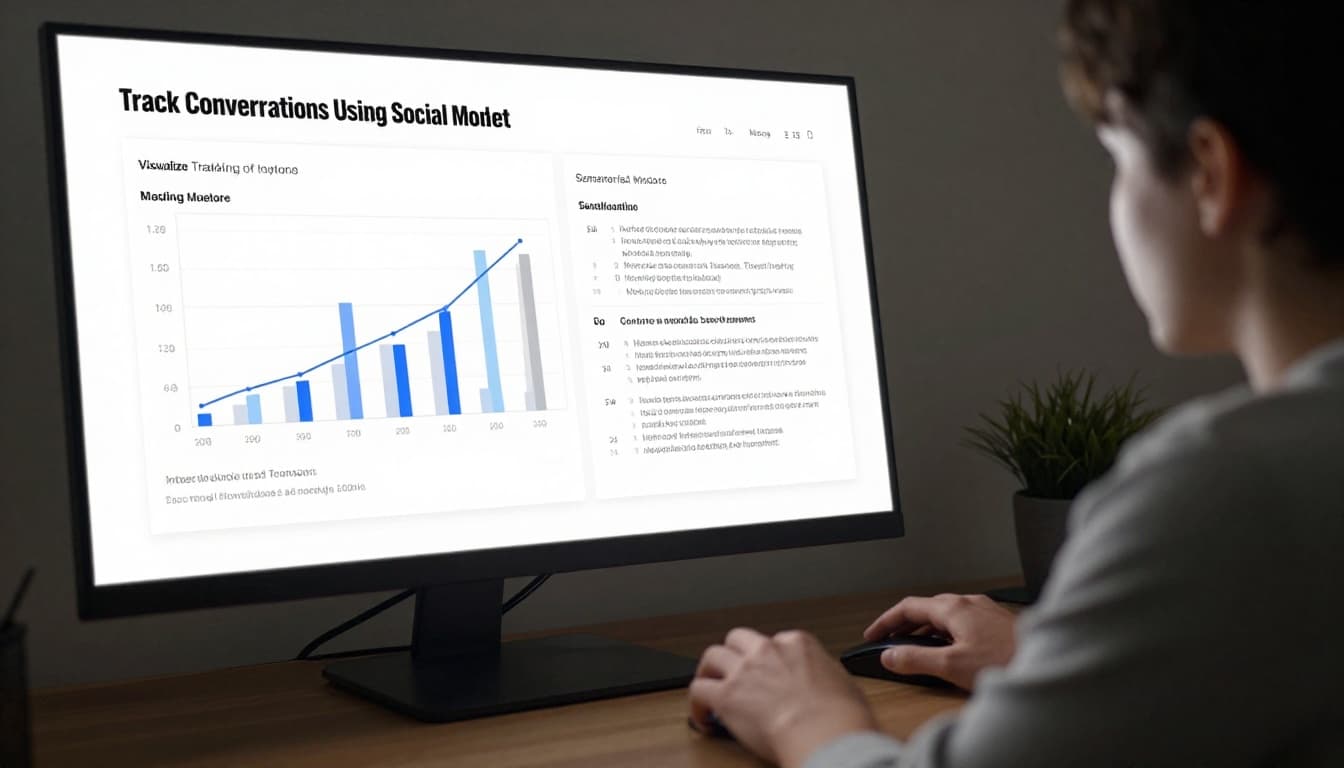
Track Conversations Using Social Mention
The original Social Mention site closed years ago. However, BrandMentions offers a free tool that does the same job. It tracks keywords or brands across social media and news in real time.
Go to BrandMentions.com and sign up for the free plan. Enter your keyword, like “handmade candles,” or your brand name. Hit search. You see mentions from Facebook, X, and Instagram.
Check the sentiment tab next. It flags positive, negative, or neutral vibes. Top users show influencers chatting about it. Real-time buzz highlights hot topics right now.
For Sarah’s candle shop, she spots praise for scents but gripes on burn time. This points to quick fixes, like better wicks.
Across tools, watch for patterns. If fitness fans mention “quick workouts” often, your persona needs that focus. Tally complaints into a list. Then test content that solves them. You save money and connect deeper.
Use Google’s Free Tools to Spot Search Trends and Questions
Google packs a punch as a free source for search data. You grab trends, questions, and visitor details without spending a dime. These tools reveal what your audience types into search bars right now. For Sarah’s candle shop, they show if buyers hunt for “soy candles” more in winter or seek “scent-free options” for allergies. Combine niche keywords like “handmade candles” with these insights. Then pair rising trends with blog posts or product tweaks. In 2026, updates make it even sharper.
Start with Google Trends for interest shifts. AnswerThePublic uncovers exact questions people ask. Google Analytics profiles your site visitors if you run a website. Follow these steps, and your content matches real demands.
Compare Interests Over Time with Google Trends
Google Trends tracks search popularity over time. You compare keywords to see winners and losers. Filter by location or season to match your crowd.
Head to trends.google.com. Enter your main keyword, say “handmade candles.” Add competitors like “soy candles” or “beeswax candles” in the search bar. Click the plus icon for each. The graph shows relative interest. Peaks signal hot times, like holidays for candles.
Next, tweak filters. Drop down “Time” to pick past 12 months or five years. Spot seasonal spikes, such as candle searches jumping in December. Choose “United States” under location for your market. Or narrow to states like California for regional tastes.
Scroll to “Related queries.” Rising ones, boosted in 2026 by Gemini AI, highlight fresh ideas. For candles, “eco-friendly candles” might surge. The Explore page now auto-suggests comparisons and packs twice as many rising terms. Trending Now refreshes every 10 minutes for quick alerts.
Takeaway? If “scented candles” outpaces others in fall, stock pumpkin spice first. For detailed steps on comparing terms, see Google’s compare guide.
Discover Real Questions via AnswerThePublic
AnswerThePublic visualizes search questions from Google autocomplete. The free version gives you plenty to start. Input one keyword, get hundreds of ideas for FAQs or posts.
Visit answerthepublic.com. Type “handmade candles” and pick US English. Hit search. A wheel pops up with “what,” “how,” “why” questions around your topic. Examples: “What handmade candles smell best?” or “How long do handmade candles last?”
Free limits let you do two searches daily. Each yields questions, prepositions, and comparisons. Export as image, CSV, or PDF. Grab the CSV for a full list to brainstorm content. Sarah spots “are handmade candles safe?” and writes a blog answering it.
Pro tip: Chain keywords. Start broad, then drill into risers from Trends. Turn questions into headlines that rank fast. Check their starter guide for visuals.
Dig into Your Site Visitors with Google Analytics
Got a website? Google Analytics shows who lands there. Demographics, interests, and behaviors paint your audience picture. Setup takes minutes if you haven’t.
Sign up at analytics.google.com. Add your site, grab the tracking code, paste it into your site’s header. Verify in real-time reports. Wait a week for solid data.
Navigate to Reports, then Audience, Overview. Age and gender bars appear first. Interests tab lists affinities like “beauty enthusiasts” for candle fans. Locations confirm US focus. Behavior flags new vs. returning visitors.
For fitness sites, you see 25-34 year-olds into “health & fitness.” They browse from mobiles mostly. Sarah learns her visitors love “home decor” interests and skew female, 35-44. Adjust emails or products accordingly.
Link it to Trends data. If Analytics shows urban moms, filter Trends there. No big 2026 changes hit these reports yet, but they tie into Ads for segments. Use Google’s audience setup help to dive deeper.
Stack these tools. Trends spots peaks, AnswerThePublic fuels questions, Analytics confirms onsite habits. Your research sharpens, and so does your edge.
Join Forums and Communities Where Your Audience Hangs Out
Your audience chats openly in forums and communities. They ask questions, share frustrations, and celebrate wins there. Because these spots offer raw, authentic discussions, you uncover pains and desires that polished ads miss. For Sarah’s candle shop, forums reveal if buyers want longer burn times or eco-friendly wicks. Join these places, listen first, and categorize insights into themes like problems or wishes. Then use them to shape your offers. This method costs nothing but time, yet it builds personas that drive sales.
Hunt for Answers on Quora and Specialty Forums
Start on Quora because questions there match what people search online. Type your niche keywords, such as “handmade candles problems,” into the search bar. It pulls up related queries fast. Click top ones with thousands of views. Read answers sorted by upvotes; high numbers signal hot topics.
Next, note trends in upvotes and replies. Questions with 100+ upvotes show strong interest, like “Why do handmade candles tunnel?” in Sarah’s niche. Answers with many comments highlight debates, such as scent strength versus allergies. Track these over weeks because trends shift.
For specialty forums, pick ones your crowd uses. Fitness folks head to Bodybuilding.com forums. Search “beginner workout pains” and scan threads. Tech users hit Stack Overflow for code snags; note repeated errors in upvotes. Parents flock to WhatToExpect.com for baby gear talks.
Categorize what you find. Make a simple list: pains (short burn time), excitements (unique scents), and questions (safe for pets?). Engage politely by upvoting or adding value, but observe mostly to avoid spamming.

In addition, check weekly views via Quora’s free Ads Manager. It flags busy topics without ads. For example, small business owners on r/Entrepreneur or Quora ask about free marketing often. Turn those into posts. See how to research topics on Quora for more search tips.
This approach gives you language your audience uses. As a result, your content matches their words perfectly.
Scan YouTube and Blog Comments for Hot Takes
Popular videos and blogs draw crowds who spill real feelings in comments. Search YouTube for “best handmade candles review.” Sort by view count. Pick top five with 10,000+ views. Skim the first 50 comments plus replies.
Look for themes. Count mentions of pains, like “too smoky,” or excitement, such as “love the lavender calm.” Note emotional words: frustrated buyers hate weak scents; happy ones rave about throw distance. Fitness videos show beginners griping about gym intimidation.
On blogs, find niche sites via Google, like “top candle blogs 2026.” Read recent posts. Comments reveal if readers want tutorials or scent guides. Group insights: 60% complain about price, 40% seek gift ideas.
Use patterns to spot triggers. High-like comments point to shared views. For Sarah, if comments flag “pet-safe candles,” add that label.

Meanwhile, cross-check across platforms. YouTube fitness fans echo forum workout fears. Blogs confirm candle allergy worries. This builds a full picture fast.
Most importantly, stay neutral. Read without bias, then test ideas in your own content. Your audience research sharpens because you hear their voices directly.
Gather Direct Feedback with Simple Free Surveys and Polls
You already know your audience from listening. Now ask them straight up. Free surveys and polls pull direct answers on habits and pains. People love sharing opinions, so responses roll in fast. Keep polls short, three to five questions max. Target the right groups, like fitness fans on Reddit. Then sort replies to build sharper personas. Sarah could ask candle buyers about favorite scents. This beats guesses every time.
Create Polls Fast with Google Forms
Google Forms makes polls in minutes. No cost, no fuss. Start at forms.google.com. Click the plus for a blank form.
Name it first, like “Your Candle Habits.” Add a description: “Help me understand what you love in scents.” Pick question types next. Use multiple choice for “Top scent preference?” Options: lavender, vanilla, citrus, other. Add checkboxes for “Challenges with candles?” like tunneling or weak throw. Include a short text box for open ideas.
Make it required if needed. Turn on quiz mode for scores, but skip for feedback. Preview, then share. Grab the link for social posts or email. Embed on your site too.
Responses land in a Google Sheet automatically. Tally votes there. For example, if 60% pick lavender, stock more. Check this step-by-step Google Forms poll guide for visuals.
Post links in niche groups. Fitness folks answer “Quickest workout fix?” Parents pick “Biggest kid challenge?” Results shape your next post.
Design Engaging Forms on Typeform’s Free Tier
Typeform shines for fun, one-question-at-a-time flows. The free plan gives unlimited forms but caps at 10 responses monthly. Perfect for tests. Grab templates for preferences, like customer feedback or product polls.
Sign up at typeform.com. Choose a template, say “Audience Insights.” Edit questions: “What’s your main fitness goal?” With image options: weight loss pic, muscle gain. Add logic jumps, so marathon runners see endurance tips. Customize colors and your logo.
Share via link on Instagram or embed on your blog. Export data to Sheets for analysis. No advanced stats, but basics show completion rates.
Limits hit quick for big lists, so start small. Sarah tests “Burn time issues?” and gets honest gripes. See Typeform’s free plan details to confirm features.
Post Quick Polls on Social Platforms
Social built-in polls grab instant votes. Instagram Stories let you add yes/no or sliders. Post “Love soy candles? Yes/No” in fitness groups. X (Twitter) polls take four options, 140 characters. Ask “Parents: Top kid challenge? A) Sleep B) Meals C) Playtime D) Other.”
LinkedIn suits pros: “Small biz owners: Best free research tool?” Target entrepreneur groups. Reddit polls in subs like r/smallbusiness. Create via “Poll” post type, limit to five choices.
Best practices boost replies. Post mid-week, mornings for US crowds. Pin top comment for follow-ups. Analyze: 70% sleep issues? Write sleep aid content.
Examples spark shares. “Handmade fans: Eco-wicks worth extra cost?” Or “Runners: Home vs gym workouts?” Groups like LinkedIn’s marketing circles respond best. For tips, read this Instagram polls guide.
Stack methods. Forms for depth, social for speed. Your personas get real voices, and content hits harder.
Spy on Competitors to Steal Audience Intelligence
Competitors already know their fans well. You can learn from them ethically, without sneaky tricks. Just check public posts and comments on their social pages. Note who interacts most. Spot patterns in profiles and hot content. Then feed that into free tools for your own insights. Sarah spots rival candle shops drawing eco-conscious moms. She copies their style legally. This saves time and sharpens your edge. Because public data stays open, you grab demographics and likes fast. In addition, compare trends to refine your approach.
Study Competitor Social Pages and Comments
Pick top rivals first. Search Instagram or Facebook for similar shops. Follow their pages. Scroll recent posts. Look at likes, shares, and comments.
Who engages? Check commenter profiles. Bios reveal ages, jobs, and locations. Moms aged 30 to 45 pop up often for candles. Dads share fitness tips. Note names and pics for traits. Frequent commenters act like superfans; study them close.
Hot content stands out. Posts with 500+ interactions win. Videos of scent tests beat static pics. Questions like “Favorite fall smell?” spark chats. Tally top types: polls get replies, stories build follows.

Group findings simply. Demographics cover age and spots. Psychographics show values, like eco-focus. For example, see this social media competitor analysis guide. Test similar posts yourself.
Build Buyer Personas with HubSpot’s Free Tool
Gather your notes now. Head to HubSpot’s tool. It builds visual profiles free.
Go to HubSpot’s Free AI Persona Generator. Describe the fan. Type “30-year-old mom in US suburbs, loves eco-candles, shops online for home scents.” Hit generate. It spits out a full sheet: goals like cozy homes, pains such as allergies, and buy habits.
Refine with rival data. Add traits from comments, like busy schedules. Compare psychographics: rivals attract wellness seekers; tweak yours. Export as PDF for your team.

Meanwhile, cross-check keywords. Pair with Google Trends from earlier. Sarah creates “Eco-Mom Mia” who craves pet-safe wicks. Your content matches real fans better.
Conclusion
You now hold a full set of free tools to research your audience without paid options. Social listening uncovers cravings on Facebook, Reddit, and BrandMentions. Google tools reveal search trends and questions. Forums, surveys, and competitor spies add raw behaviors and demographics. Because these methods stack so well, they match paid platforms for small businesses in 2026.
Start simple. Pick two or three, like Google Trends for trends, Reddit for psychographics, and polls for behaviors. Mix the data into buyer personas. Update quarterly, since trends shift fast. Sarah turns flat sales into connections this way.
Try one method this week. Grab insights on your niche, then share results in the comments below. Your audience waits.